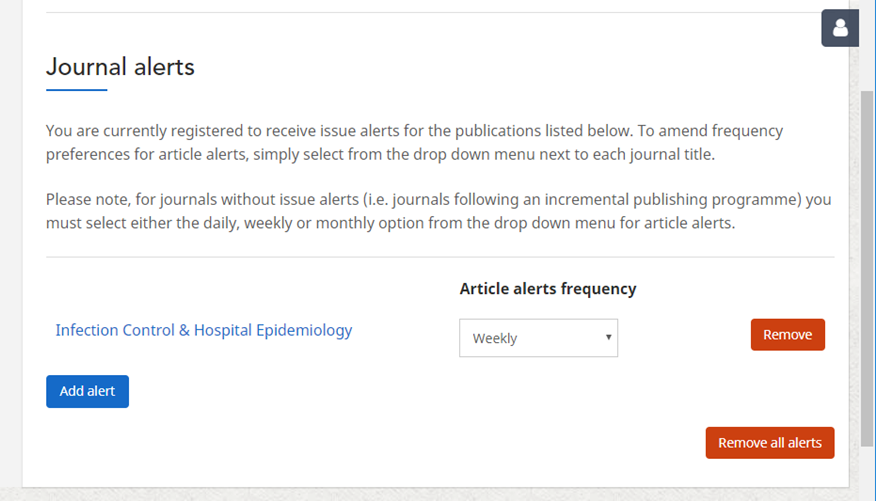
ICHE eTOC Alerts
Step 1
Go to ICHE homepage on Core: https://www.cambridge.org/core/journals/infection-control-and-hospital-epidemiology
Step 2
Click on the bell symbol on the top right (in line with the journal title) that shows the “Add alert” text box.
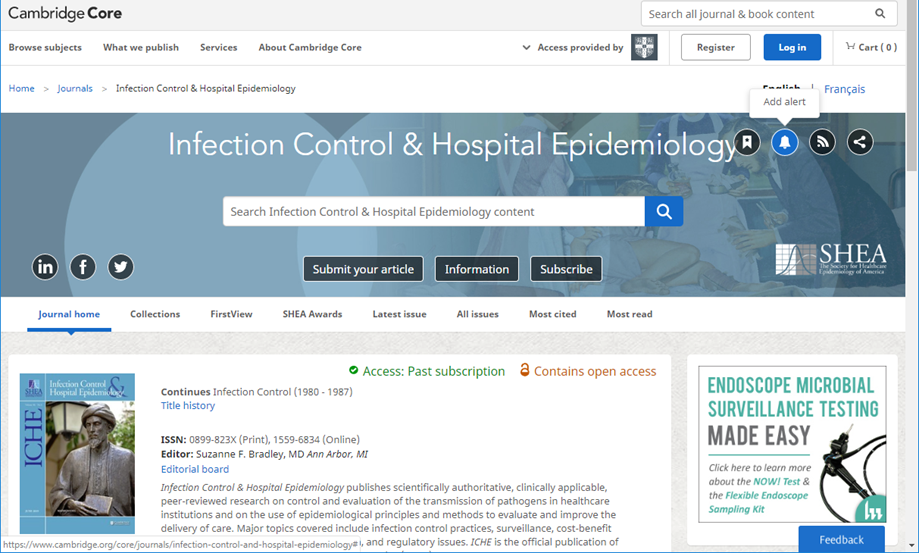
Step 3
If you don’t have a Core account or if you aren’t logged in, you will see the screen pictured below. If you have an account on Core, click “Log in”, or if not, click on “Register for a free account now.”
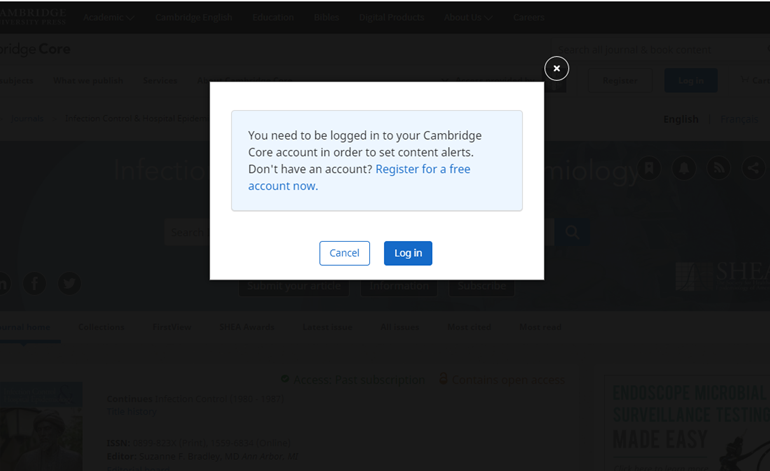
Registering for a Free Account
Step 1
Once you click on “Register for a free account,” you will be brought to a page to input your name, email address and country, as well as to create a password. Input the required information.
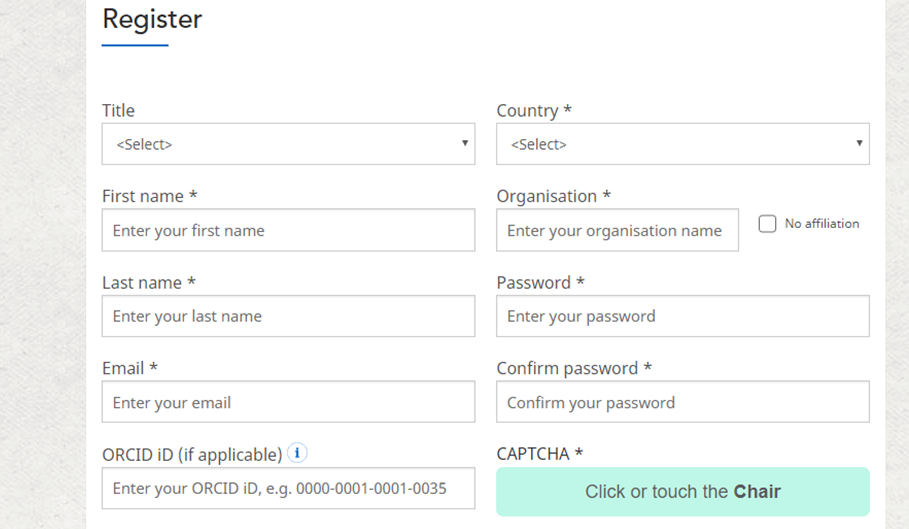
Step 2
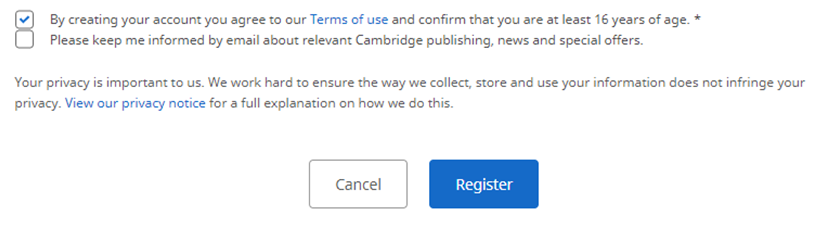
Once you’ve filled in your information, accept the terms of use and click on the “Register” button.
Step 3
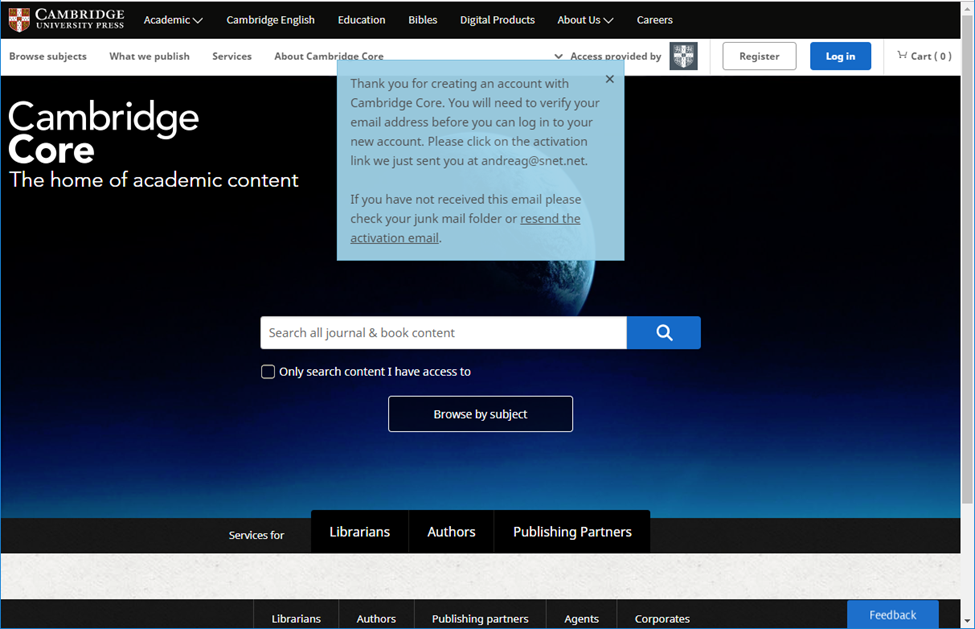
You will see the screen pictured below that asks you to verify your email address. Go to the relevant inbox you used, and follow the “activate account” link in the email.
Step 4:
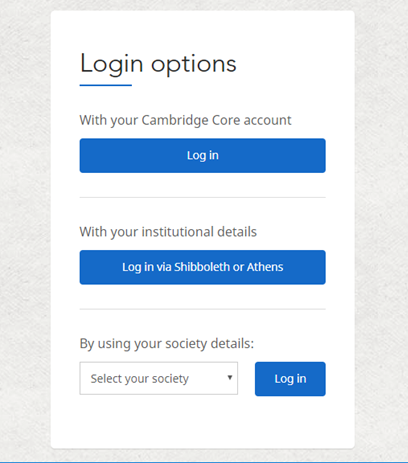
Once you’ve activated your account, you will be able to click the “Log in” button. Click “Log in.”
Step 5
Enter your login details, and click “Log in.”
Step 6
You should be navigated back to the ICHE homepage. (If not, navigate back to ICHE.) Click on the “Add alert” button again in the top right.
You should see a pop-up window that says an alert has been added for ICHE. You should receive an automatic weekly email when ICHE publishes new FirstView and issue content.
If you have a Core account:
Step 1: Click “Log in.”
Step 2: Enter your email address and password, then click “Log in.”
Step 3: Navigate to ICHE (if you didn’t land there after logging in).
Step 4: Click on the “Add alert” button again in the top right.
You should see a pop-up window that says an alert has been added for ICHE. You should receive an automatic weekly email when ICHE publishes new FirstView and issue content.
Changing Email Frequency
If you want to receive alerts daily or monthly instead of weekly, navigate to the ICHE homepage and make sure you are logged in.
Click on the alert button in the top right and you will land on the “My alert” page. Scroll down and you will see your journal alerts (example below). From there you can update your alert frequency.